With the ever-increasing expansion of the web, more and more users are becoming concerned about their privacy and security while browsing. This has consequently led to the rise to prominence of technologies such as Virtual Private Networks (VPNs) and projects such as Tor, as they allow users to safely surf the web without disclosing their identity. But what are Tor and VPNs? How do they work to protect you, and which one is better?
What is Tor?
Tor, short for ‘The Onion Router’, is a free, open-source software that enables users to search the web anonymously by directing traffic through a number of different servers whilst simultaneously encrypting it at each step. The technology behind it was first developed by the US Navy, but it was not until 2002 when the Tor project was created and released to the public.
How does Tor work?
Let’s say you have downloaded the Tor browser, and you want to use it in order to remain anonymous while surfing the web. But how does that happen? Here is a basic rundown. Once connected to Tor, your browser receives a Tor directory, which is essentially a list consisting of a number of Tor nodes, also referred to as ‘relays’, which are ‘servers’ hosted by public volunteers. From this list, 3 random nodes are returned to the client along with a circuit ID, which is used to establish the connection and communication between the nodes. Then, the client establishes a symmetric key between itself and every separate node from the circuit. After that, every node receives its own encryption key, which serves as a means of communication between the node and the client. The data you search for then passes through all three nodes and the third and final relay, known as the ‘exit node’, decodes the data using the encryption key that it has established with the client. The final destination server then returns the desired data, and the process repeats in reverse. Each node encrypts the data separately, meaning that two nodes cannot decrypt that data between each other. The data, having been encrypted three times, returns to the client and is then deciphered using all the keys established earlier. This encryption at every stage is what allows for you to remain anonymous and secure while using Tor. Furthermore, it is due to these added layers of encryption from where Tor’s name of ‘The Onion Router’ derives, given its structural similarity to that of an onion.

When can Tor protect you?
The answer is never going to be a resounding ‘yes’ or ‘100% of the times’. Although the Tor browser is substantially safer and more security-reliable than the majority of browsers, there are some cases in which Tor cannot protect you completely:
● You should never disclose any personal information, which can be used to identify your identity or location.
● Your ISP can detect that you are using Tor, which can raise alerts about suspicious behaviour
● The exit node can spy on your activity, even though it cannot trace the original location or IP address
What is a Virtual Private Network (VPN)?
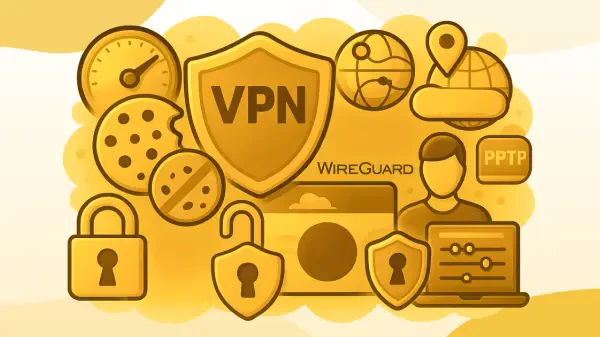
A Virtual Private Network, most commonly known as a VPN, is a piece of software used to create a secure data tunnel between the user’s device and a VPN server at another location, as we have already highlighted in our previous post - here. By using a VPN you can essentially hide your online activity from your ISP, as well as your IP address and geological location. This, consequently, allows you to browse the web safely and securely even when you are connected to public Wi-Fi networks. Initially developed for companies that wanted to grant remote access to their system to their employees, VPNs are now being used by the public for privacy protection while surfing the web as well as for gaining access to geo-restricted content worldwide.
Tor vs VPNs - Anonymity vs Privacy
The simple answer is that both have their advantages and drawbacks. In relation to the aspects of anonymity and security, Tor seems like the better choice. Tor is decentralized because of the number of available relays worldwide, making it extremely difficult and near impossible to trace the client. In comparison, a VPN is centralized, meaning that the websites that the client visits will not know who the client is, but the VPN will. Furthermore, a VPN can also keep a log of the user’s activity, which can also breach anonymity.
Other factors
Tor is completely free to install and use, in contrast to most VPNs, which require monthly subscriptions and additional payments. Where a VPN excels, however, is speed and content rendering. Given the amount of encryption that is done by Tor, it is obvious that returning data to the client would be slower as it is required to pass through several different relays. A VPN, on the other hand, provides quick and easy access to the given resource as it only alters the location and IP address of the client. Furthermore, depending on the security settings, Tor can disable JavaScript and sometimes break different UIs, ultimately changing the UX, which a VPN would not do.
| Tor | VPN | |
|---|---|---|
| Main goal | Maintains anonymity | Protects privacy |
|
Security |
Triple node encryption | Connect to a VPN server at another location |
| Speed | Very slow | Fast |
| Cost | Free | Mostly not free |
| JS execution | Depending on security settings, can disable JS and break UI/UX | Executes JS, does not break UI/UX |
What should you choose?
Ultimately, both Tor and VPNs offer you a sense of security. However, if a user’s desire is to remain anonymous and have their actions be untraceable, it is more appropriate to use Tor as it allows for anonymity and tighter security. On the other hand, if you just want to maintain privacy and still have fast and easy access, you might opt for a VPN instead. Or maybe you want to be extremely secure - why not use both at the same time?