Public Web Servers
Protect websites and web applications and allow only HTTP and HTTPS traffic while also restricting admin access to trusted IPs. This way you can keep your public services available without exposing any unnecessary ports.
Protect your cloud infrastructure with our cloud firewalls. Set up inbound and outbound traffic using customizable rules, presets and reusable IP lists! Easily combine with a VPC for comprehensive network protection.
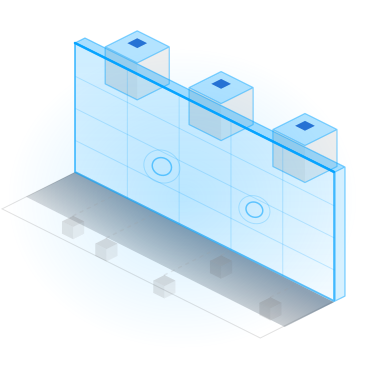
A firewall can simply be described as the first line of defense for your cloud infrastructure. By inspecting and controlling network traffic, it determines what reaches your virtual machine by evaluating all network packets against your rules, allowing only authorized traffic and blocking unwanted access.
Powerful firewall features that give you complete control over inbound and outbound traffic without the management complexity.
Firewalls are a powerful security tool when it comes to protecting your server and they are applicable to all projects and businesses.
Protect websites and web applications and allow only HTTP and HTTPS traffic while also restricting admin access to trusted IPs. This way you can keep your public services available without exposing any unnecessary ports.
Limit database access to certain application servers or private networks. Prevent direct public access to MySQL, PostgreSQL and any other database service while also ensuring that only authorized systems can connect.
Secure your development, staging and testing environments by allowing access only to your team or company IP addresses. This reduces the risk of unauthorized access while developers continue to work uninterrupted in a secure environment.
Utilize firewalls together with private networking to isolate frontend, backend and database services. Control communication between application layers and create a more secure and robust, privacy-first cloud architecture.
Learn how to set up firewalls, create rules, attach servers and configure custom IP lists via the VPSBG Console.
To create a firewall, simply open the Firewalls tab from the menu on the side and click on the create button. From here, give your firewall a name and set up any inbound and outbound rules using our pre-built protocol options. Once done, select an IP list to apply these rules to or create your own custom list.
Avoid manual configuration and updates and set up your own, custom IP list, which can be attached to multiple firewalls. Simply update the list and changes will be automatically applied to all existing firewalls saving you time and effort when it comes to managing your server.
Find the answer to the most popular questions about our cloud firewall.
A cloud firewall is used to monitor and filter both incoming and outgoing traffic for your cloud server, preventing unauthorized access and allowing traffic access based on the rules that you determine.
Create multiple firewalls, set up traffic rules and attach them to your server for free!