We at VPSBG are excited to officially announce our Cloud Firewall! Take control of your traffic and network communication with the help of our secure and reliable cloud firewalls. Easy rule setup, multiple server support, custom IP lists and pre-built templates for the most common protocols, all for free!
What Is a Cloud Firewall?
A cloud firewall is a network security feature that essentially filters out traffic between your server and other networks via a set of pre-defined rules. Each rule is used to evaluate the connections that are allowed to, or blocked from, accessing your server, ensuring a more secure environment for your cloud server.
Historically, firewalls are usually associated with the physical hardware in datacenters as well as those on your personal devices. With a cloud firewall, you get the same thing, just for your cloud server, allowing you to manage everything via an online platform like the VPSBG Console, making it the perfect choice for those looking to get extra security and better privacy protection.
However, while they are powerful, firewalls are not designed to replace all security measures, they just add another safety layer, which is why having a secure environment is also key, making our AMD SEV-SNP cloud servers the perfect solution for all types of projects and applications that require a robust hosting environment.
How Does a Cloud Firewall Work?
The working process behind a firewall is very simple - it inspects incoming and outgoing traffic, then compares each connection request against a set of security rules and based on the result, the firewall either allows or blocks traffic. Put even more simply - if traffic matches an approved rule - it goes through, if not - then it’s rejected.
The Firewall Decision Process
Knowing what happens on the surface, let’s take a deeper dive into how traffic is actually filtered.When a connection request is made, the firewall has to go through the following process:
- 1A connection request is receivedA user, application or another server is trying to communicate with your workload.
- 2The firewall checks the traffic detailsThe firewall evaluates information like source IP address, destination IP, network protocol, port number and traffic directions.
- 3Rule comparisonThe firewall compares the request against your traffic rules
What Are Firewall Rules?
A firewall rule is a set of information that you pass to your firewall which it uses to compare traffic against. Each rule can have different factors that need to be evaluated:
Rule Component | Description | Example |
|---|---|---|
Direction | Whether traffic is incoming or outgoing | Inbound connection to a server |
Protocol | Type of network communication | TCP, UDP |
Port | Specific service being accessed | HTTPS on port 443 |
Source IP | Where traffic originates | Office network IP |
Destination | Where traffic is going | Application server |
Due to the large number of network protocols and ports, you have a lot of rules that can be configured for complete customization. For example, a public website may require only web traffic:
Allow:
TCP port 80 - HTTP
TCP port 443 - HTTPS
Block:
All other inbound connections
An administrative server, on the other hand, might need to be more restrictive:
Allow:
TCP port 22 - SSH
Source:
Only trusted administrator IP addresses
Inbound and Outbound Firewall Rules
As we already mentioned, rules work in two directions - inbound and outbound. Inbound rules are used to evaluate traffic that is coming into your cloud server and generally allow:
users to access a website over HTTPS
administrators to connect via SSH
application servers to communicate with a database
Outbound rules do the opposite - they control connections initiated by your server to allow:
servers to download updates
applications to communicate with external APIs
However, they are also used to restrict unnecessary outgoing connections. Not only that but outbound rules often get overlooked, with most people only using the inbound ones to ensure secure traffic control, but knowing what your infrastructure can also communicate with is also of significance. For example, a database server might not need unrestricted Internet access as if it were to be compromised, the outbound rules can mitigate any damage.
Example Firewall Configuration - Protecting a Web Server
Now that we’ve gone over the rules, let’s go over a practical example of setting some up. Let’s say that you are hosting a website on a cloud server - it needs to accept visitors from the Web but it also doesn’t need every service to be publicly available. Then, a firewall configuration can look like so:
Service | Port | Access |
|---|---|---|
HTTP | 80 | Allowed |
HTTPS | 443 | Allowed |
SSH | 22 | Restricted |
Database | 5432 | Blocked publicly |
In this case, visitors can access the website without problems, admins can connect via their pre-approved methods while internal services remain protected.
Design Firewall Rules Carefully
A firewall will only be as effective as the rules that you’ve created, which is why you need to carefully craft them. Rules that are too lenient will result in exposing unnecessary services but rules that are too strict might prevent your application from working as you want it to. The key here is to strike a balance and:
Allow required communication
Block unwanted access
Keep rules simple and understandable
Review and update rules as infrastructure changes
When Should You Use a Cloud Firewall?
A firewall can be useful in many different situations, for all projects and websites that need to control access. Even though each workload will likely require a different set of rules, most production environments will almost always benefit from utilizing a firewall. Here are some more concrete examples.
Public Websites and Web Applications
Websites and applications that are accessible by users on the public Internet are the most common candidates for a cloud firewall. While they need to be accessible, this doesn’t mean that each service running on them should be publicly available.
For example, a website might have the following configuration:
Allow:
TCP 80 - HTTP
TCP 443 - HTTPS
Restrict:
SSH access
Administrative services
Internal application ports
This means that visitors will still be able to access the website but its services and internal operations won’t be exposed to the Web.
Protecting Databases
Databases are the most important place that you need to apply access restrictions to, especially if you are dealing with sensitive or personal information. In most architectures, databases do not directly communicate with the Internet - they only accept connections from app servers or trusted systems on an internal level. With a firewall, you can ensure this connection is secure and you can further block access to the public Internet as an additional security layer, while still allowing admins to access the database when needed.
Managing Development and Testing Environments
Another common use case for firewalls is to secure development and testing environments. When developing a website or an application, it’s almost certain that you will be using a testing environment to try out different things in terms of design and functionality while also taking a look at how your app will perform under different conditions.
With a firewall, you can limit access to these environments and get to test, deploy and troubleshoot your website or app without exposing anything to the web.
Some common examples of how to use firewalls here include:
Allowing access only from developer IP addresses
Restricting staging environments to internal dev teams
Blocking public access to test databases
Temporarily allowing services during development
That way devs can still access what they need without the system being accessible.
Securing Multi-Server Applications
Applications are more commonly distributed across different servers rather than running on a single system with each one having a different role, therefore requiring its own individual set of rules. For example:
Component | Required Access |
|---|---|
Web server | Public HTTPS access |
Application server | Access from web servers |
Database server | Access from application servers only |
Management systems | Access from trusted administrators |
Setting up rules for each component will help create a secure set of boundaries, while also ensuring that the application will continue to function.
Restricting Administrative Access
Admin services are very commonly targeted as they essentially open the door to internal systems, which is why remote management services like SSH should almost never be open to the public Internet. This is where firewalls rules can help, allowing SSH access only to a set of IP addresses that you specify.
Some common approaches include:
Only allowing access from office networks
Only allowing access through a VPN
Using trusted IP lists
Restricting access to users or teams
Controlling Outbound Traffic
As we already discussed, firewalls are not only useful for filtering out incoming connections - they also have outbound rules that can help set up what your cloud server is allowed to communicate with. For example:
Allow apps to access external APIs
Allow servers to receive updates
Prevent unnecessary outbound connections
Reduce the impact of compromised systems
For websites and apps that work with sensitive data, controlling outbound traffic can be just as important as managing inbound access.
Cloud Firewall Features
We believe that managing your network security shouldn’t be hidden behind a paywall, require complex configurations or repetitive manual work, which is why our cloud firewall is completely free, easy to set up and fully customizable. Whether you are securing a single server or multiple virtual machines at once, you’ve got the tools to control traffic, organize policies, create IP lists and apply consistent rules across all your environments with the click of a single button via the VPSBG Console.
Create Multiple Firewalls
You can create up to 20 firewalls and attach each one to multiple different servers. This means that making one single change will update the rules for each server your firewall is associated with. You can also duplicate an existing firewall if you need to apply it for another cloud server but with a few changes.
Simplify Configuration With Protocol Templates
Firewall rules have a lot of things that you need to consider about protocols, ports and application requirements which is why we’ve gone ahead and simplified all of that with our pre-built protocol templates that you can use to quickly set up some common rules with just a few clicks. The perfect option for those looking to secure their system without complexities.
Reusable IP Lists
Managing IPs for multiple firewall configurations can be difficult especially if you are mostly reusing the same set of addresses. This is why we’ve added the option to create your own custom IP address lists which you can add to any firewall configuration. Updating the list will apply the changes to all servers, meaning no more manual work.
VPS With Cloud Firewall
Deploy a powerful cloud server and secure your network with a cloud firewall!
Cloud Firewall vs Private Networking (VPC)
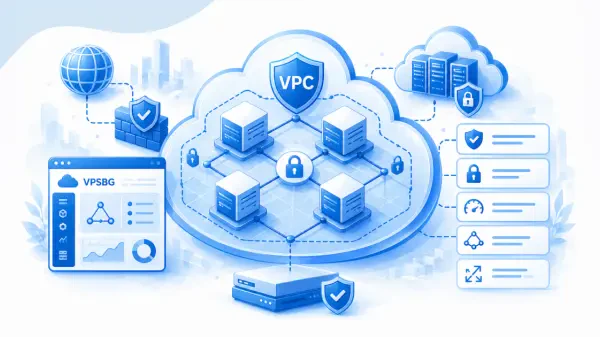
One common question when it comes to cloud firewalls is do they differ from private networking and whether both can be used at the same time. Well, both are powerful tools for securing your network infrastructure, but in reality they solve really different problems. A firewall is used to control connections and a VPC is utilized to organize and isolate your infrastructure on a network level. This is why they can be used together to create an even more robust cloud hosting environment.
Firewall vs VPC Comparison
Feature | Cloud Firewall | VPC |
|---|---|---|
Controls allowed traffic | ✓ | X |
Blocks unwanted connections | ✓ | X |
Creates private networks | X | ✓ |
Separates public and private resources | X | ✓ |
Controls ports and protocols | ✓ | X |
Enables internal communication | X | ✓ |
Reduces network exposure | ✓ | ✓ |
Using a Firewall With a VPC
Ultimately, combining firewalls with a VPC helps create multiple control layers, resulting in a much more secure network environment, allowing you to:
Keep internal services private
Limit communication between workloads
Expose only required services
Create clearer security boundaries
Combine a firewall with a VPC, DDoS-protection, AMD SEV-SNP and measured boot and you have an extremely secure and privacy-friendly cloud hosting environment.
Cloud Firewall Best Practices
Finally, let’s address some of the best practices when it comes to creating and using a firewall.
Only open ports that you need - important because each port creates a potential communication path to your server
Restrict administrative access by filtering access by IPs or using a VPN
Separate public and private services - not all app components need to have Internet access
Use specific rules instead of broad access
Review firewall rules - make sure to check your rules, especially when making changes to your infrastructure
Use reusable security policies
Combine firewalls with other network security layers like VPC and DDoS-protection
Plan rules around your application architecture - use rules that mirror your app’s intended workflow, don’t set rules that are not needed
Start small and expand when needed - start with the minimum required access, test and then adjust rules
In order for your cloud firewall setup to be successful, every connection needs to have a clear purpose, each rule needs to mirror that. Limiting access, separating workflows and workloads, reviewing policies and utilizing additional protection layers are key when it comes to securing your network.