How to pay for your server with Bitcoin
Published: 26 September 2022 • Updated: 02 October 2025 • 4 min read
We at VPSBG have always strived to protect our customers’ privacy at all times, which has remained our number one priority over the years.
Because of this, we have been accepting Bitcoin as an alternative payment method for our services for over a decade, being one of the first hosting providers worldwide to offer it as an option to our customers.
We even created a separate service - Bitcoin VPS, to allow our clients to directly purchase powerful and scalable virtual private servers using Bitcoin.
As of the last couple of years, we have also begun to accept Bitcoin Lightning Network payments as well, further expanding our range of supported cryptocurrencies.
As a matter of fact, we have even designed and developed our own, personal Bitcoin payment processing implementation in order to avoid using any third-party processing software, thus resulting in better overall security and privacy protection for all of our customers.
Keeping all of this in mind, in this tutorial, we are going to show you how you can pay for your services using Bitcoin as it is not only easier, but also more beneficial in terms of your security and privacy. So without further ado, let’s dive right into it!
Buying a server using Bitcoin
All of our servers are automatically paid from your account balance, meaning that you will need to deposit funds into account using Bitcoin. Once you have deposited your desired funds, we have a wide selection of cloud solutions that you can choose from including our powerful VDS and KVM VPS servers.
To deposit funds into your account using Bitcoin, you will need to first log into our Console. Once there, enter your email and password. If you don’t already have an account, you can directly register.
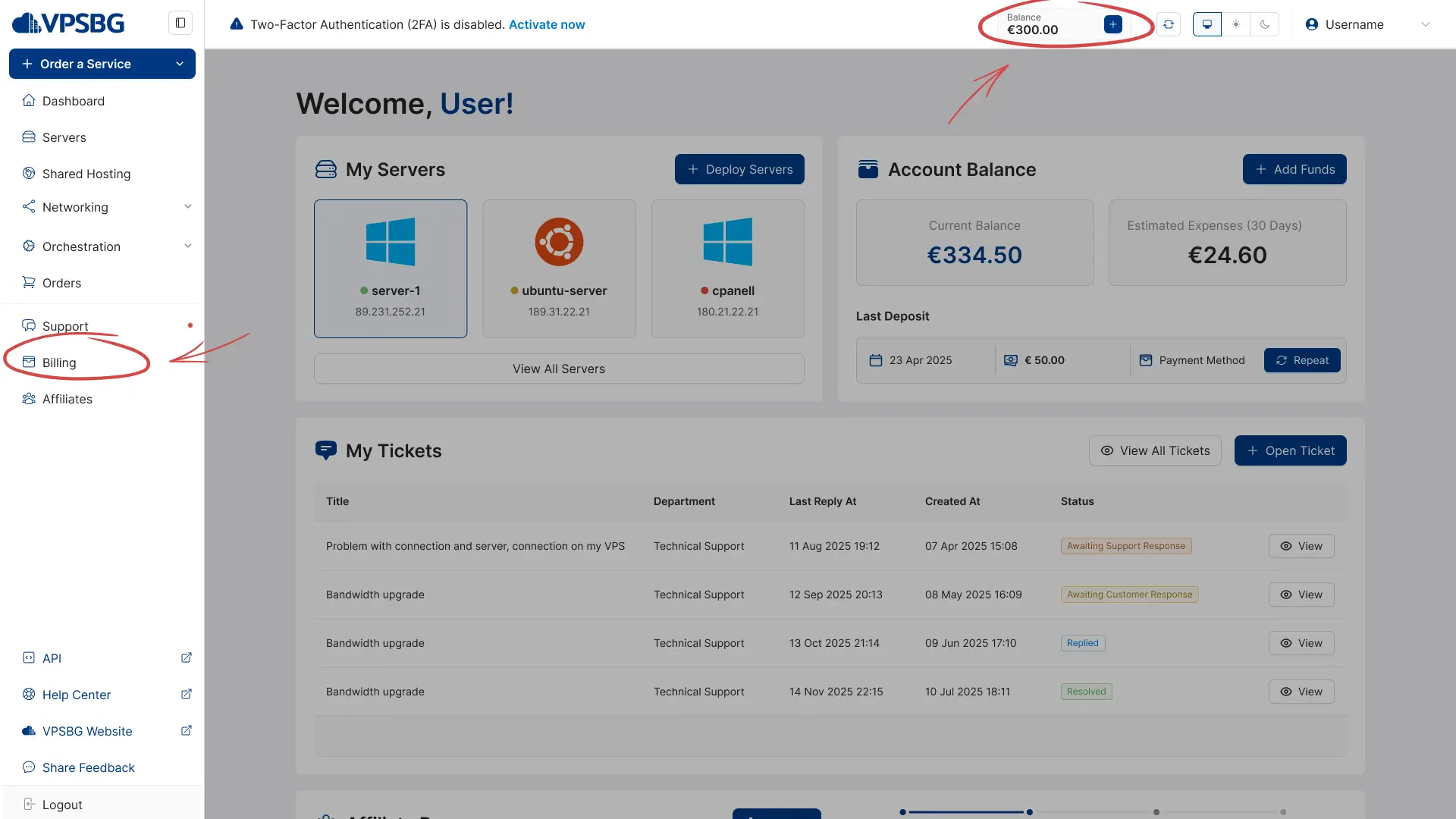
Next, navigate to the Billing tab from the side menu or directly click on the "Add Funds" button from the top navigation menu:
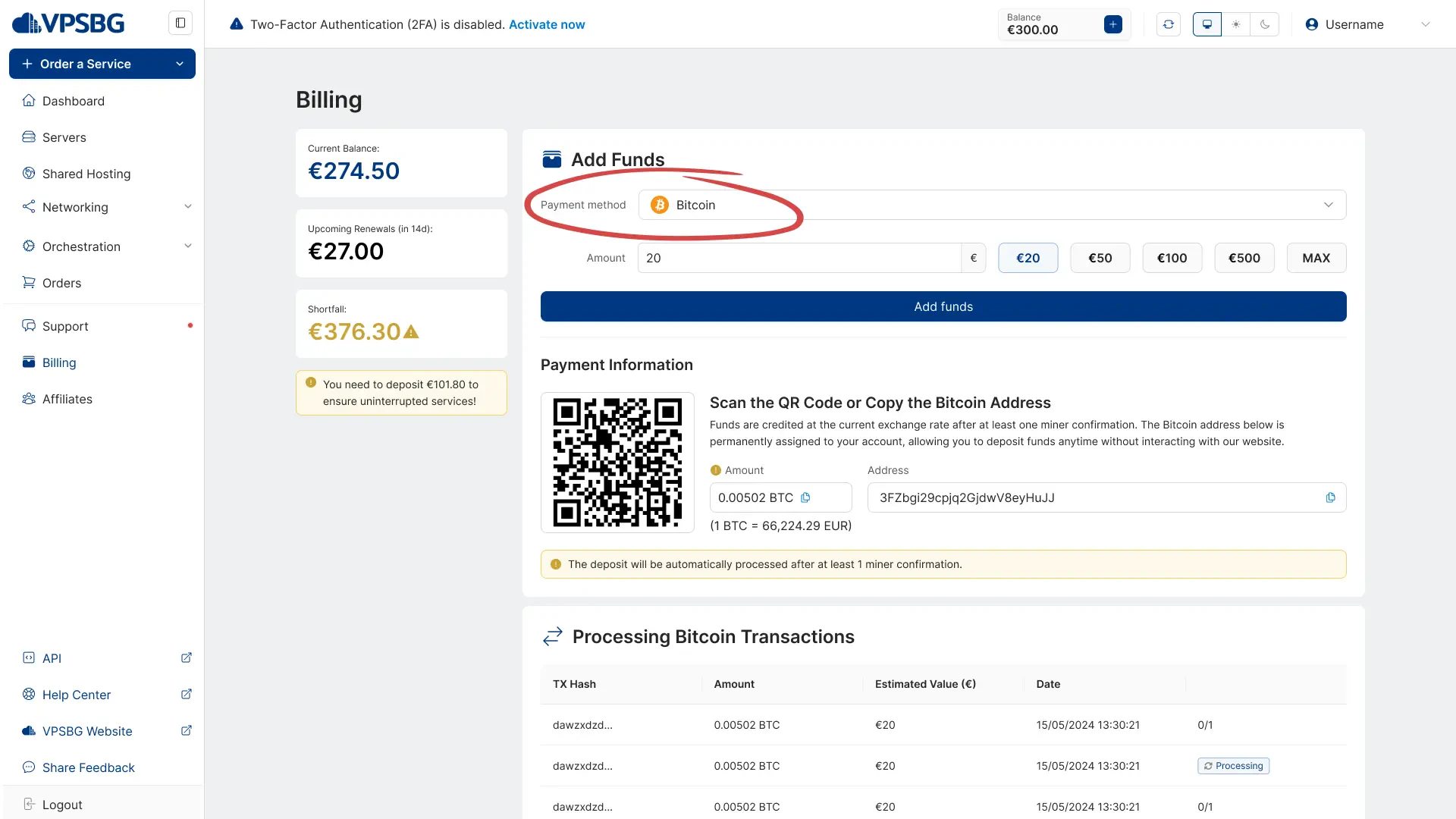
This will take you to the Billing page, where all of our deposits happen. From the 'Payment Method' dropdown menu, select 'Bitcoin':
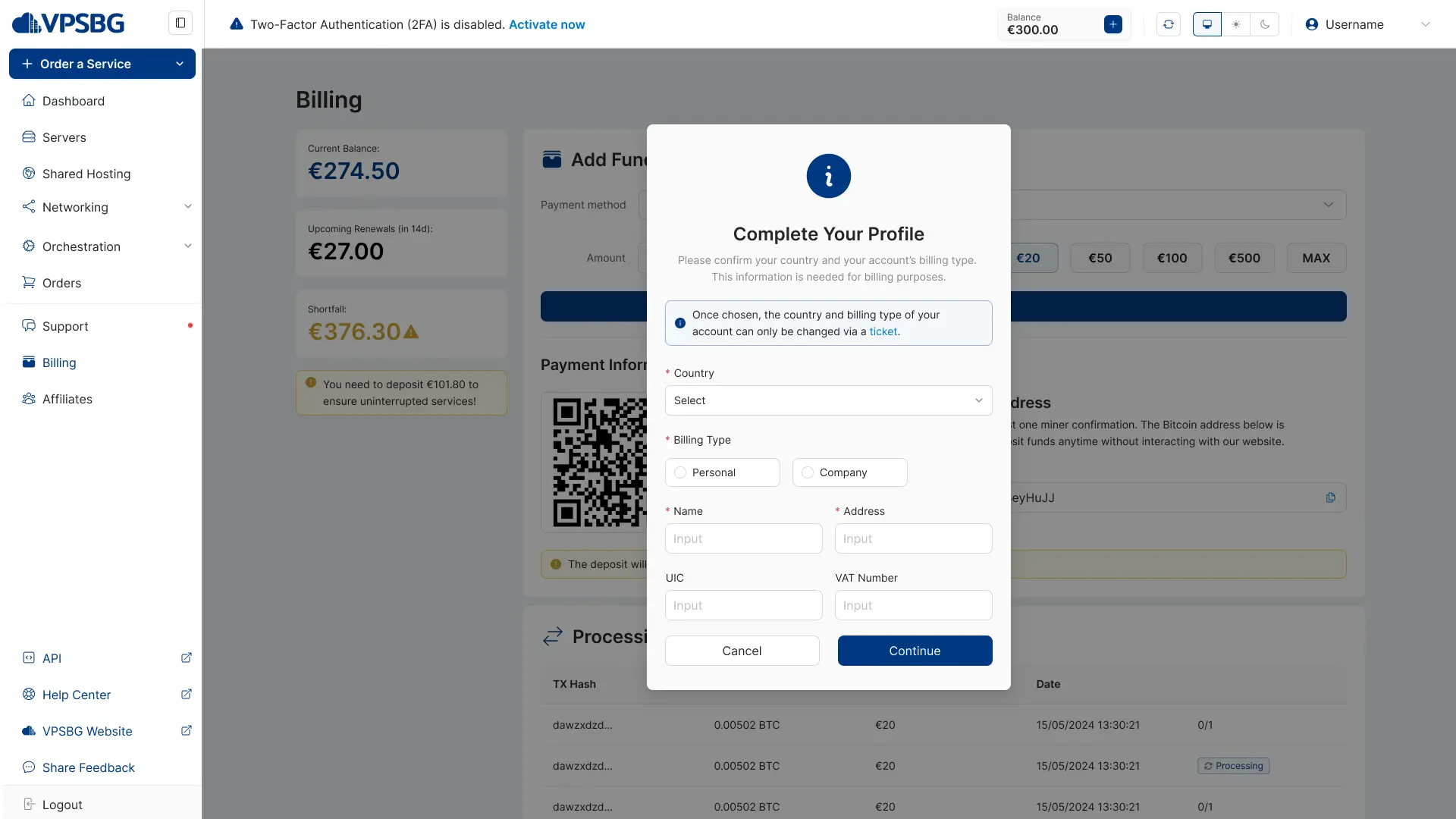
If you are a new user, you will be first asked to complete your profile. Afterwards, you will be presented with your Bitcoin payment information:
You will see a QR code, which once scanned, will automatically take care of the transaction using the BTC wallet on the device, which you used to scan the code.
Additionally, you will also have the Bitcoin address displayed, which you can manually copy and paste to make the deposit.
The ‘Amount’ field contains the amount of BTC that you need to transfer in order to pay for your server. Bitcoin prices are refreshed every 15 minutes in order to be as relevant as possible.
Therefore, to summarize, you either need to manually input the address and the amount of required BTC and carry out the transaction from your Bitcoin wallet, which you can automatically do by scanning the QR code.
The information presented on this page is required in order for you to broadcast a Bitcoin transaction using your favourite wallet application like Electrum or Ledger Live among others. Each VPSBG account has its own unique Bitcoin address. This means that once you deposit funds to your account, you don’t need to log in to make future deposits.
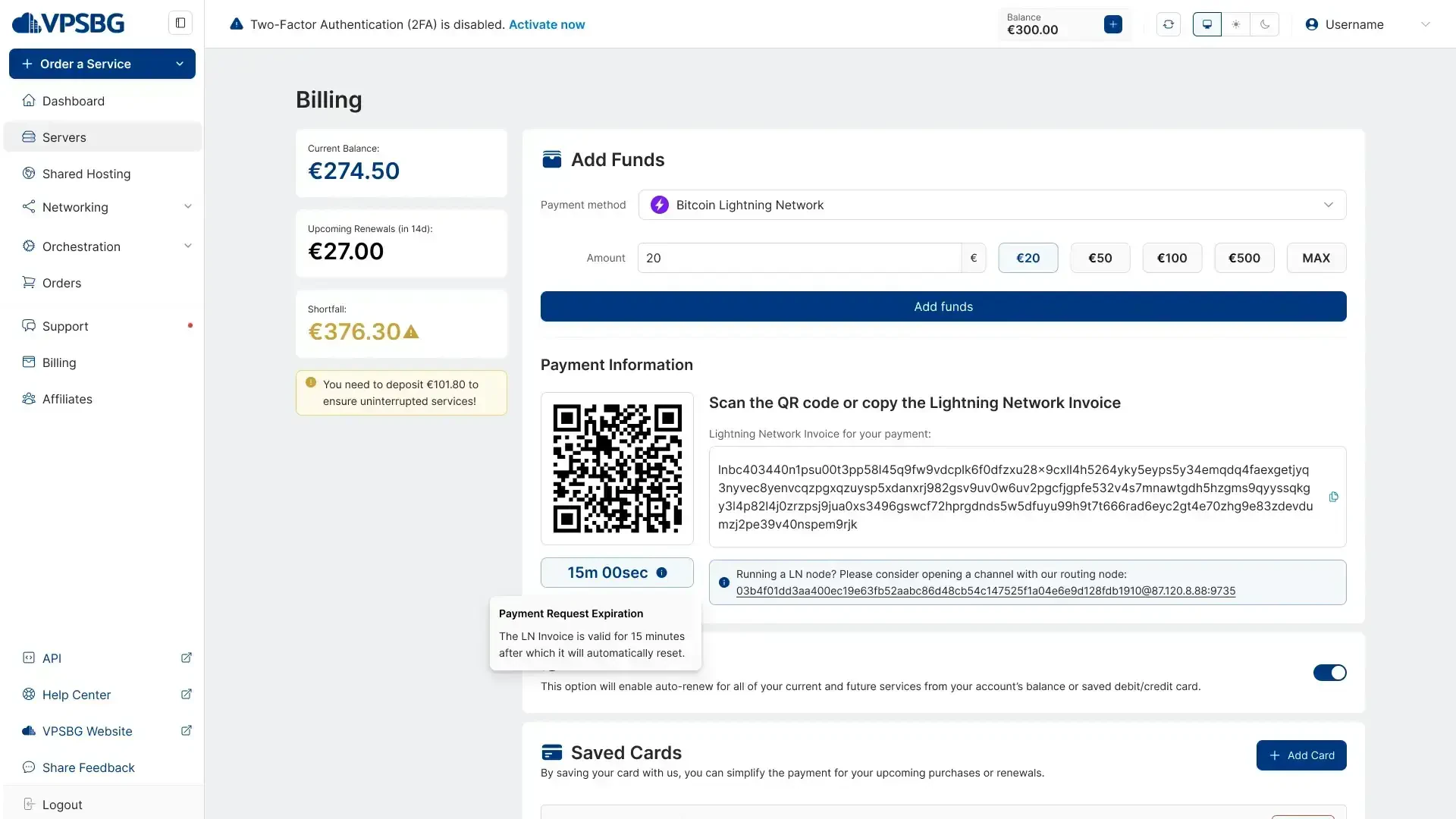
The process is the same when paying using the Lightning Network.
How do we process Bitcoin payments?
When the transaction has been broadcasted without any issues, our system will mark your order as ‘Pending confirmation’ and the algorithm will wait until there is at least 1 payment confirmation (in the blockchain).
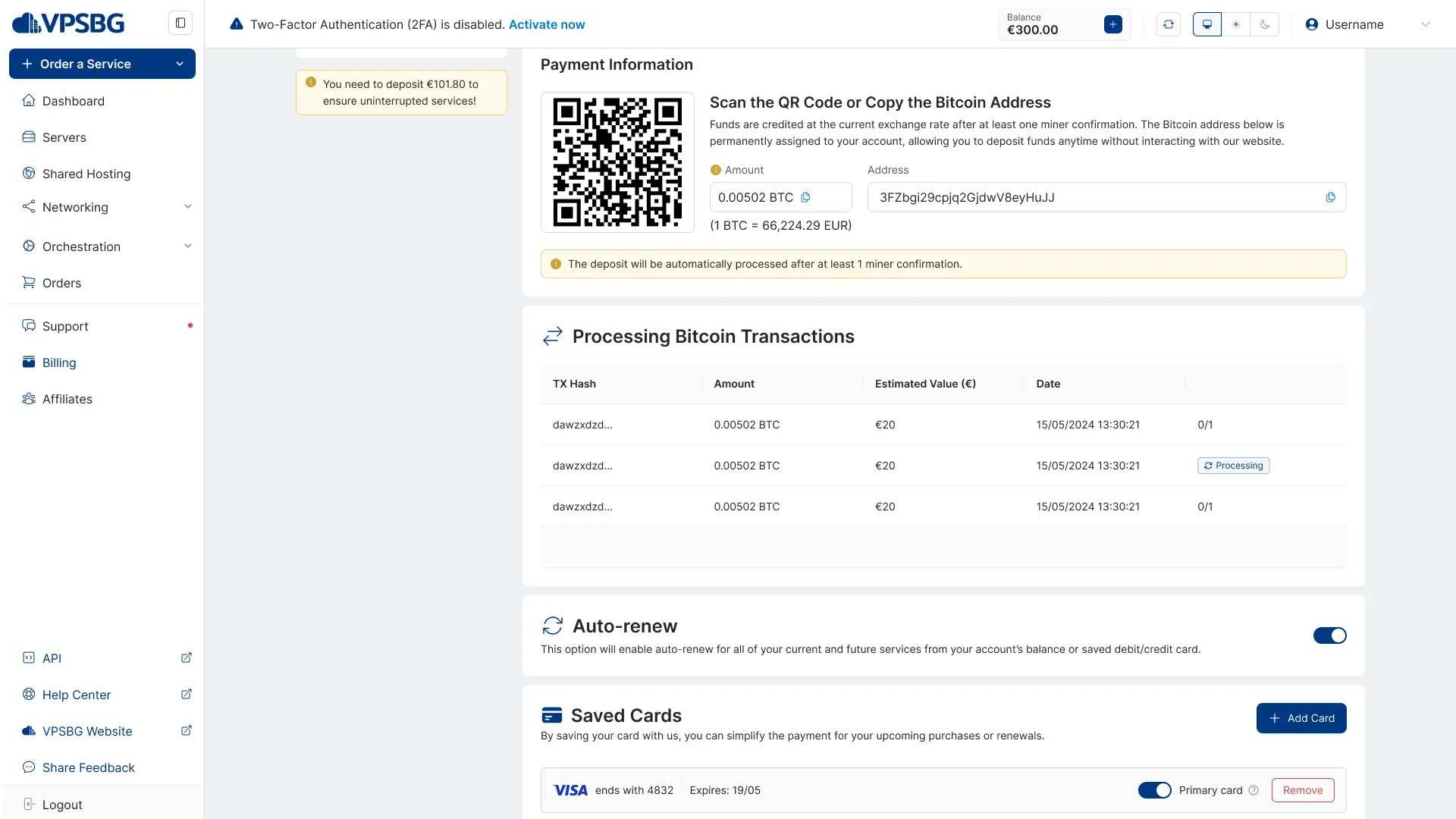
As soon as your transaction hits 1 confirmation, your funds will be immediately added into your account.
What happens if I underpay or overpay?
Given the nature of Bitcoin, it is possible that you could sometimes deposit more or less funds, based on the price at the moment of carrying out the transaction.
If you happen to send more than the required amount of BTC, your transaction will be processed and the remaining amount will be automatically added to your account balance. On the other hand, if you happen to send less than what is needed, the transaction will be marked as ‘Partly paid’. In this case you would need to contact us to provide you with the exact BTC needed to complete your payment.
Overall, paying for your services using Bitcoin is a really good way to protect your privacy. In addition to being secure, it is also a very reliable and convenient way to make international payments without having to pay sky-high fees for overseas transactions.